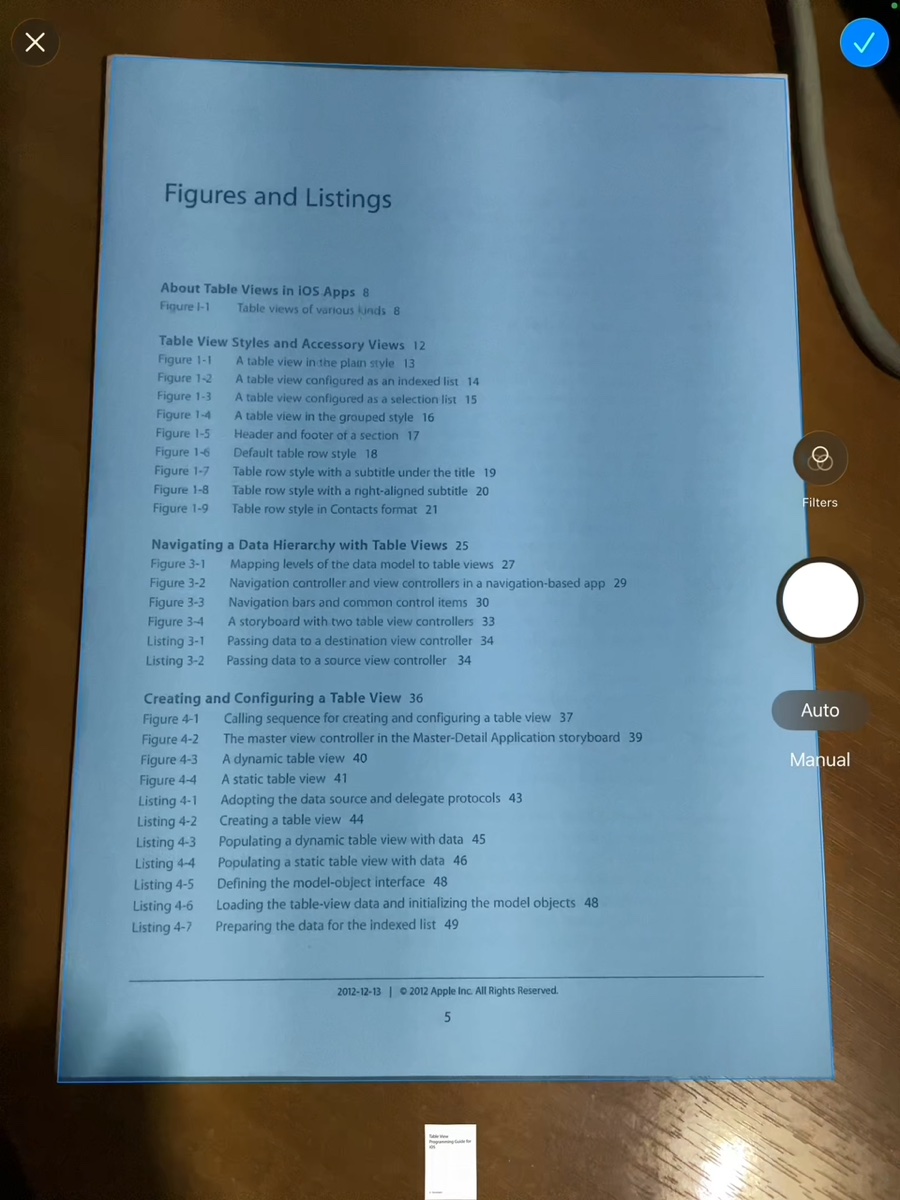
1. Point your camera
PDFfy automatically highlights the document edges in blue, corrects perspective, and crops the page. Scan multiple pages in a row without stopping.
 PDFfy
PDFfyTips and best practices to get the most out of PDFfy.
A quick visual tour of how PDFfy works.
PDFfy automatically highlights the document edges in blue, corrects perspective, and crops the page. Scan multiple pages in a row without stopping.
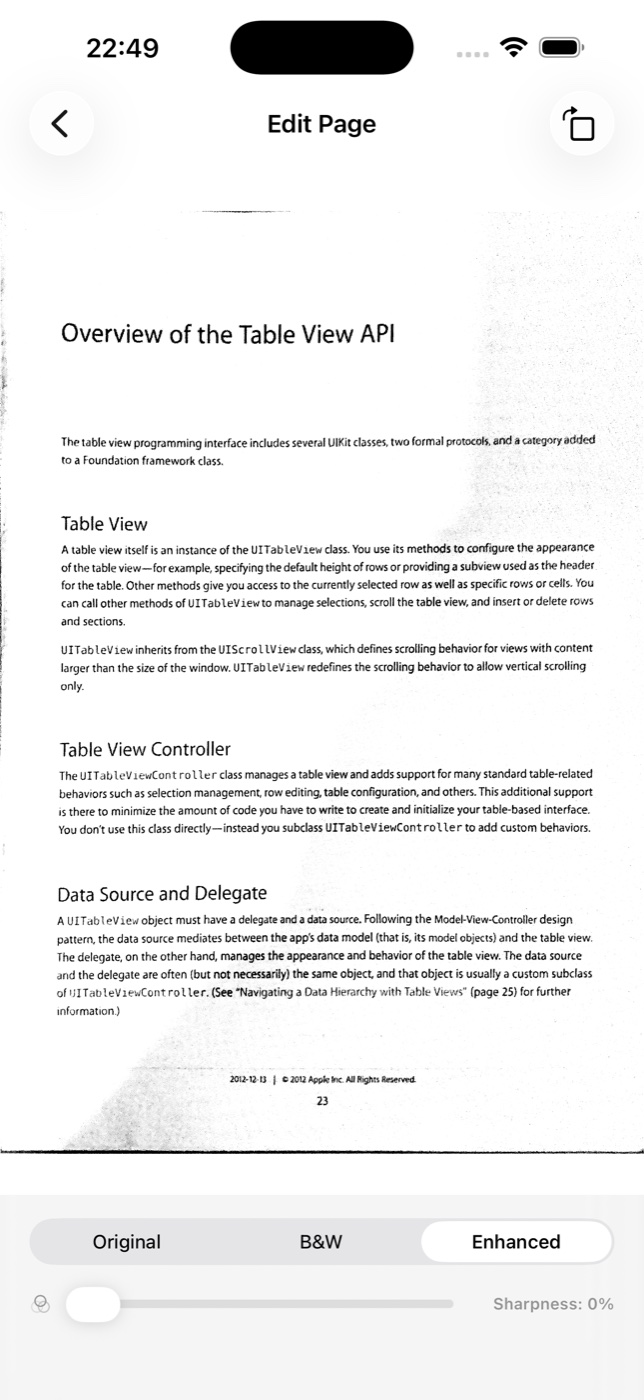
Switch between Original, B&W, and Enhanced to remove shadows, and fine-tune the Sharpness slider for crisp text.
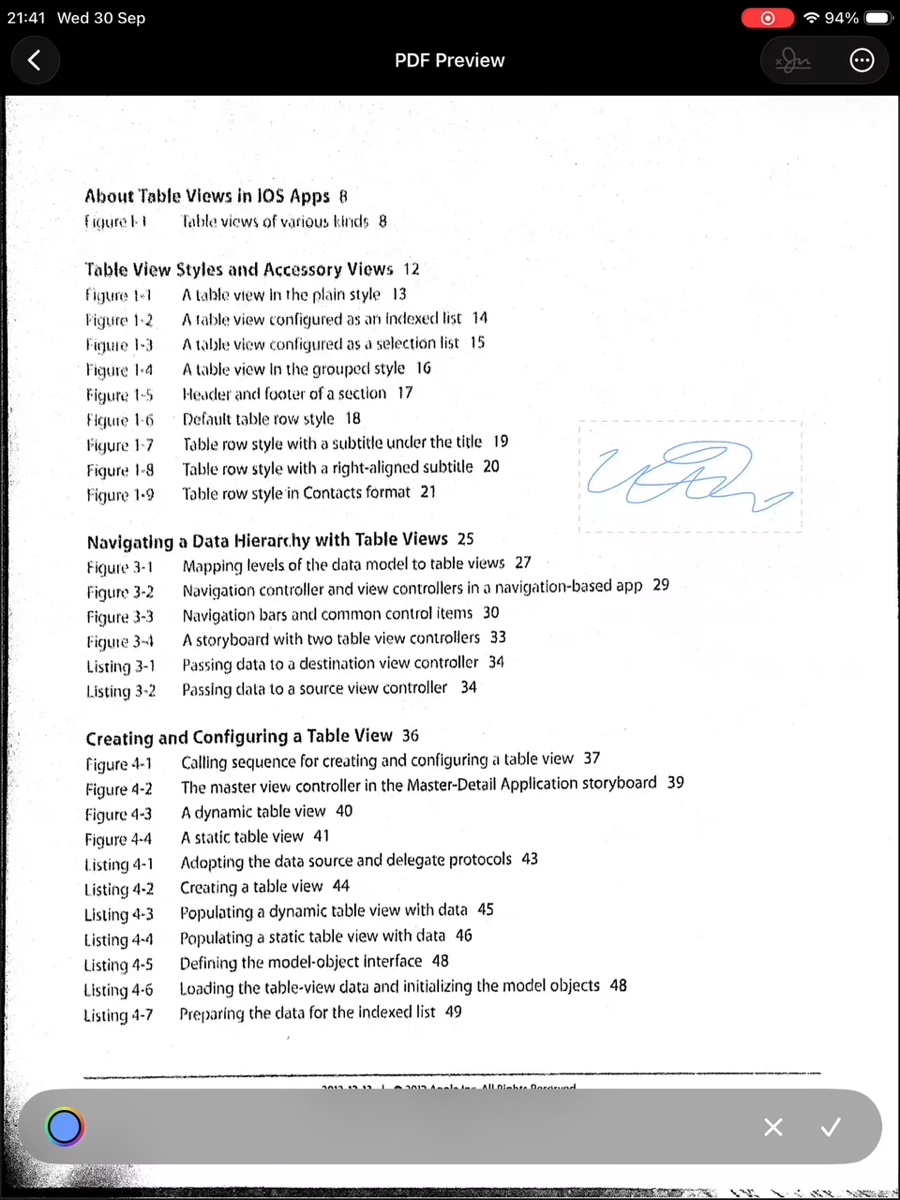
Draw your signature once, pick any ink color, and place it anywhere on the PDF. Saved signatures stay locked behind Face ID or Touch ID.
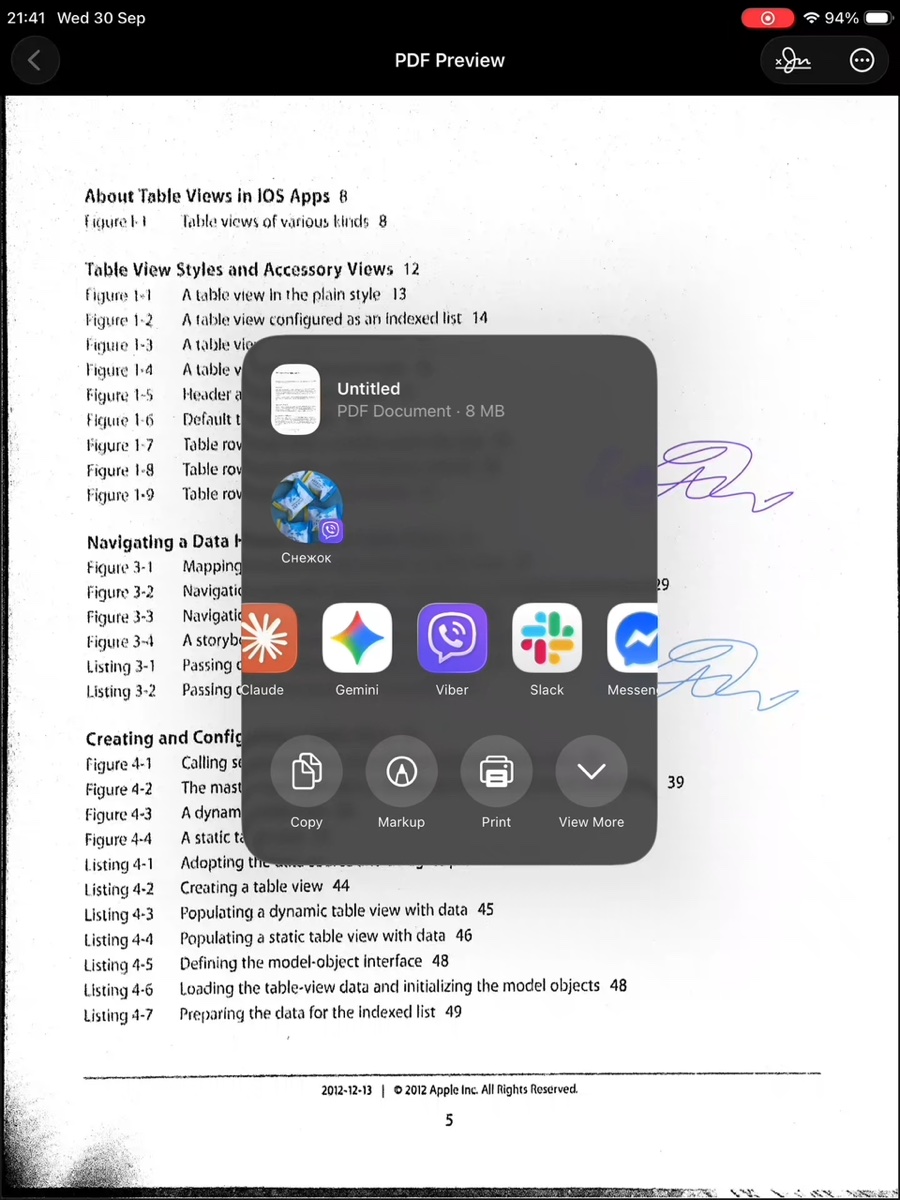
Drag and drop pages to change their order, then export a clean A4 or US Letter PDF via AirDrop, email, messengers, or AirPrint.